
Round Robin
If you have connected multiple calendar accounts, you can select and use several calendars when creating your booking page.
Connect Your Calendar Accounts
Before creating a booking page, ensure that all your calendar accounts are connected.
Creating a booking page
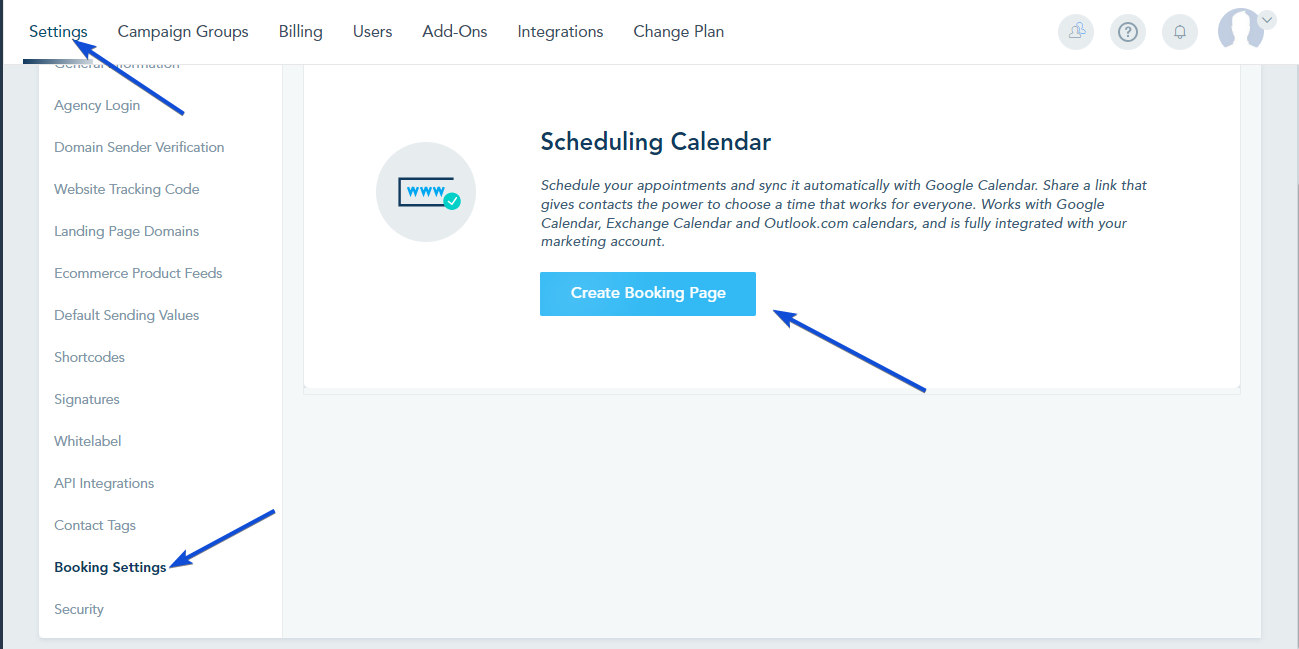
Go to Settings -> Booking Settings -> Create Booking Page.
Select:
- Booking Type
- Calendar Accounts you want to use
- Enter a name for your booking page.
- Click Submit to open the booking settings.

Once you click Submit, the settings will open.
In the Settings tab, choose how bookings should be distributed across your selected calendars:
Assignment Options
-
Round Robin
Each connected calendar receives an equal number of bookings.
-
Maximize Availability
Meetings are booked based on availability, meaning some calendars may receive more bookings than others.

Once you have completed your calendar settings, click on Submit to save your settings.
Check this link for more details on how to create your booking page.