How to manage the color of the dashboard and logos
Branding is a way to customize your agency and Whitelabel it the way you like.
In order to activate Branding, go to Settings, Whitelabel, and select Branding.
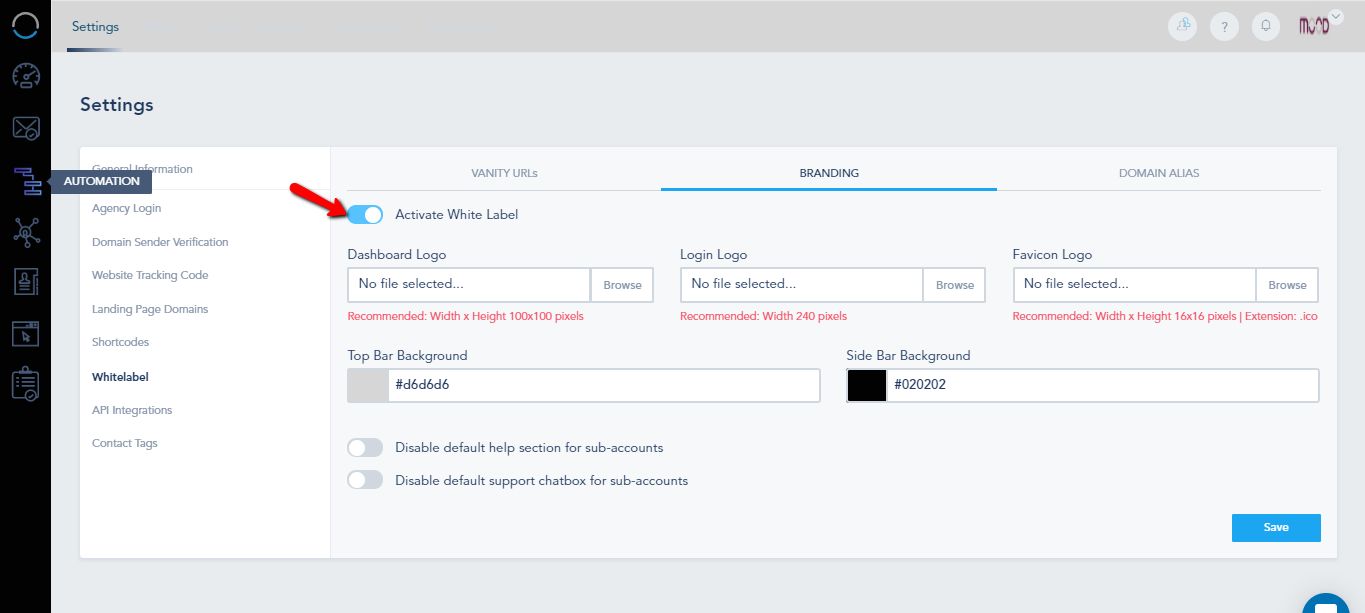
First, Toggle Activate White Label on:
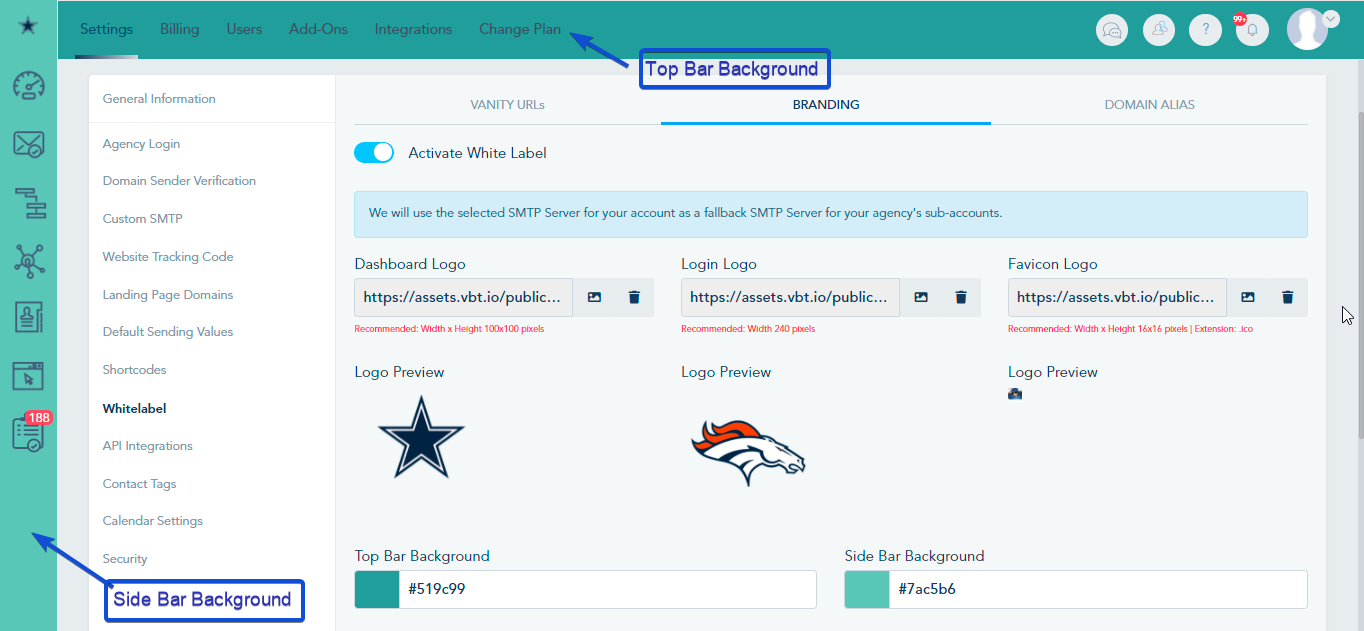
Then, you can choose to change the Top Bar Background, and the Side Bar Background, If you have a specific color in mind you can write its hex code, otherwise, you can choose from the panel.
You can upload the Dashboard Logo, Login Logo, and Favicon.
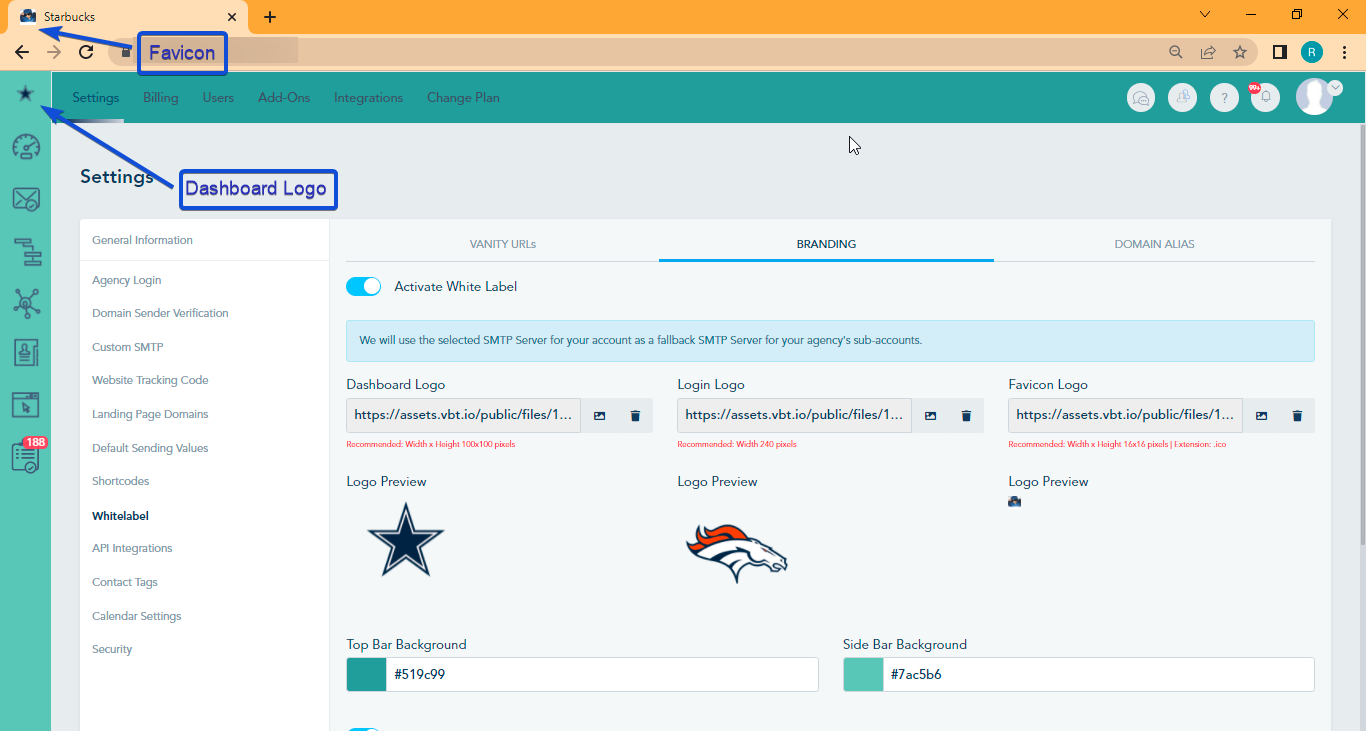
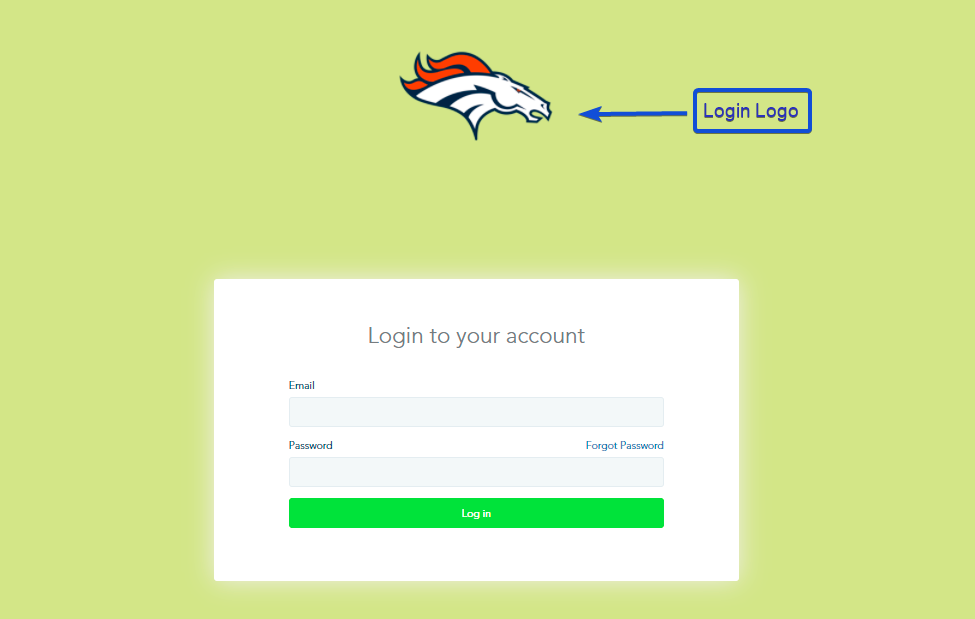
Note that for the Login Logo, you need to fill the Domain Alias
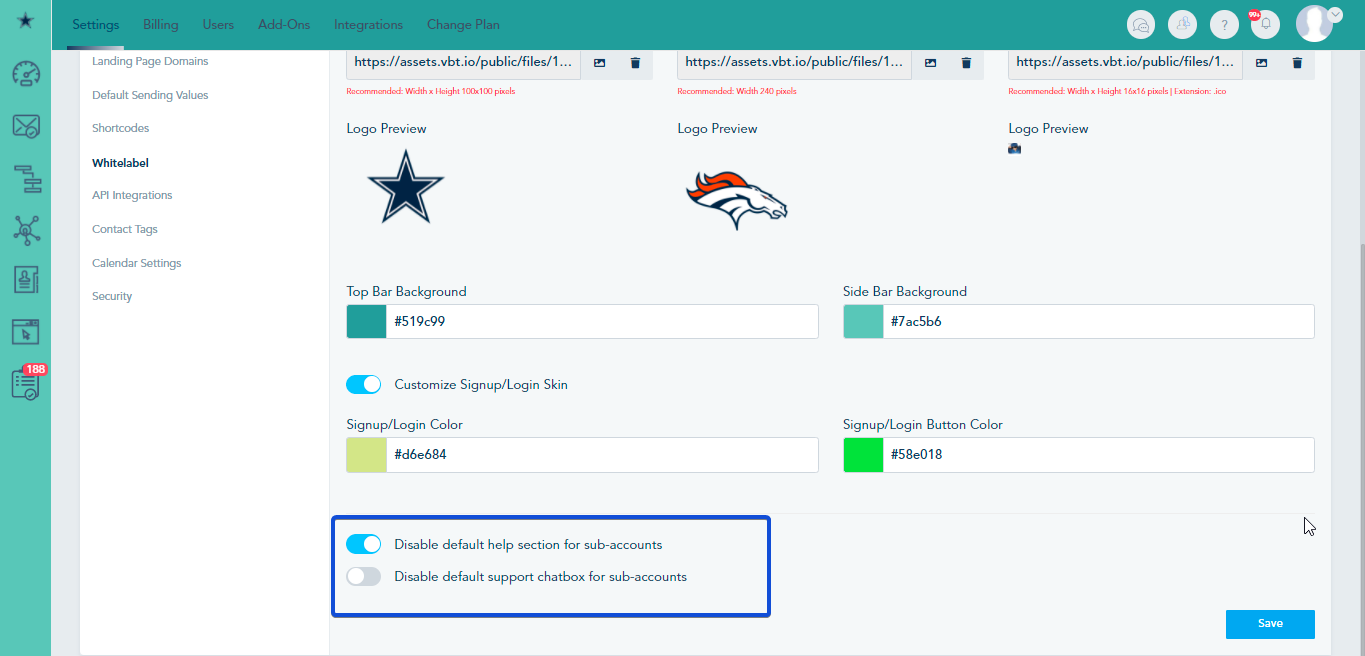
And you can choose to hide help section and/or support chatbox for all of your sub-accounts: