
Reading analytics for email campaigns
To read your campaign stats, go to Email -> Campaigns and click on Analytics for this specific campaign.
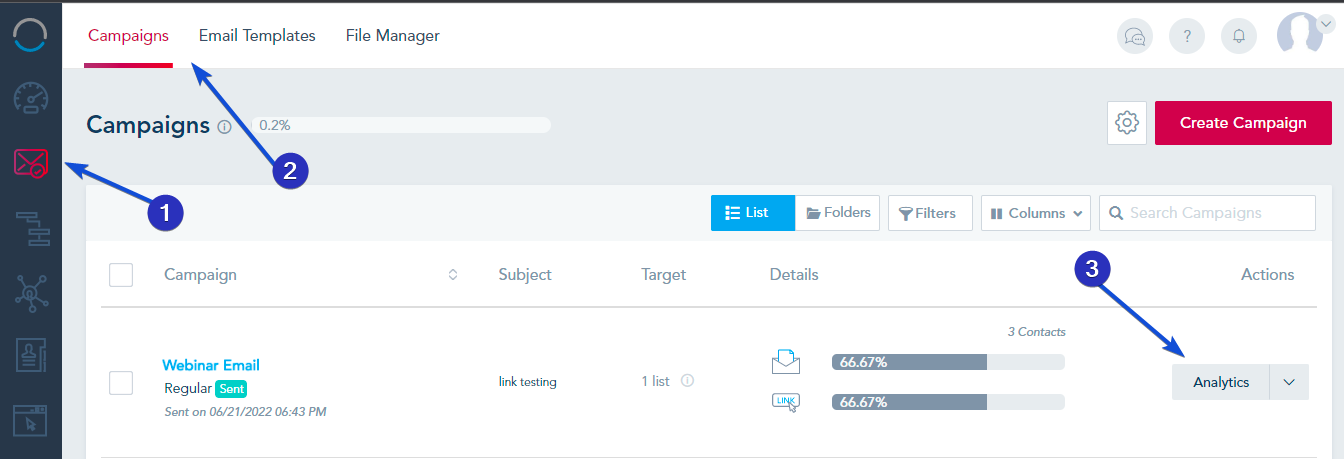
You will see the campaign overall analytics from Open Rate, CTRs, Unsubscribes, Bounces, Conversions and email engagement.
Additional campaign data are available to be viewed if you scroll down to the Campaign Breakdown:
- Use the filter to view who opened your campaign.
- View bounced, unsubscribed or complained emails.
- View campaign links that were clicked with total and unique click count.
- You can also view subscribers who clicked.
- View open locations, devices used and email clients.
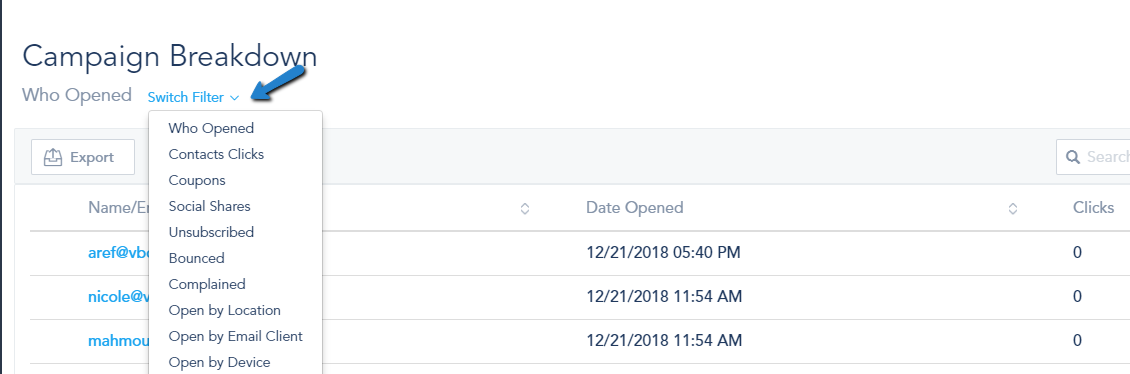
You can always download this data by clicking on Export.